For dropshippers and DTC owners who study a competing Shopify store
Shopify store spy: 7 free checks, no tool
A Shopify store shows more than most spy tools resell. Add ?sort_by=best-selling to its /collections/all page to see its products in sales order, and ?sort_by=created-descending to see its newest ones. Open /products/<handle>.js to read the price, the compare-at price and the date the product was created. Then search the store's page in the Meta Ad Library to see every active ad, and paste each ad into Playhead to get its hook, beats and claims with the second of each. What no public page shows is revenue, orders or traffic.
Published 8 min read
The short version
- Shopify's collection pages sort by 8 options, and best-selling is one of them. /collections/all?sort_by=best-selling lists a store's products in its own sales order.
- Every product has a public JSON at /products/<handle>.js with 10 fields worth reading, including created_at, price and compare_at_price.
- Prices in that JSON are in the smallest unit of the currency: 12900 means 129.00.
- The Meta Ad Library keeps an ad that reached the EU for 1 year after its last impression, so an EU country filter shows ads the store has already stopped.
- No public page shows a store's revenue, orders or traffic. A tool that shows them is showing an estimate.
What is on this page and on no other
Every page about these products carries the same prices and the same feature lists. These are the facts this one produced itself, and how each one was made.
Shopify's public product JSON carries 10 fields a competitor can read with no tool: available, compare_at_price, created_at, price, price_min, price_max, published_at, tags, type and vendor.
Shopify collections sort by 8 options: manual, best-selling, title ascending and descending, price ascending and descending, and created ascending and descending. 2 of the 8 are the ones a competitor needs.
Of the 5 questions a store spy is asked, 3 have a public answer and 2 do not: best sellers, launch dates and ads are public, revenue and traffic are not.
What a Shopify store shows, and what it hides
Most of what a spy tool sells is on the store's own pages. The rest is an estimate.
| The question | Public? | Where to look |
|---|---|---|
| Which products sell best | Yes, as a rank | /collections/all?sort_by=best-selling |
| Which products are new | Yes, with a date | /collections/all?sort_by=created-descending, then created_at in the product JSON |
| The price and the discount | Yes | price and compare_at_price in /products/<handle>.js |
| Which ads the store runs | Yes | The Meta Ad Library, by the store's page name |
| What happens inside each ad | Yes, if you watch it | Paste the ad into Playhead for the hook, beats and claims |
| Revenue and orders | No | Not published anywhere. Every figure is an estimate |
| Traffic | No | Not published by the store. Every figure is a panel estimate |
The 7 checks, in order
About 20 minutes for one store, with a browser and nothing else.
Confirm the store runs on Shopify
Open the page source and search for cdn.shopify.com. The same source holds a Shopify.theme object with the name of the theme the store uses.
List the best sellers
Open the store's /collections/all?sort_by=best-selling. The first row is what sells best in the store's own count. Write down the first 10 product handles, the last part of each product URL.
List the newest products
Open /collections/all?sort_by=created-descending. A product that is both new and high in the best-selling list is the one the store is scaling now.
Read each product's JSON
Open /products/<handle>.js for each handle. Note created_at, price and compare_at_price. Divide by 100: 12900 is 129.00. A compare_at_price above the price is the discount the store shows.
Find every ad the store runs
Open the Meta Ad Library, choose All ads, and search the store's Facebook page name. Filter by active status. Each ad shows the date it started running.
See the ads it stopped
Set the country filter to an EU country. Meta keeps an ad that reached the EU for 1 year after its last impression, with its reach and the age and gender split.
Read each ad, second by second
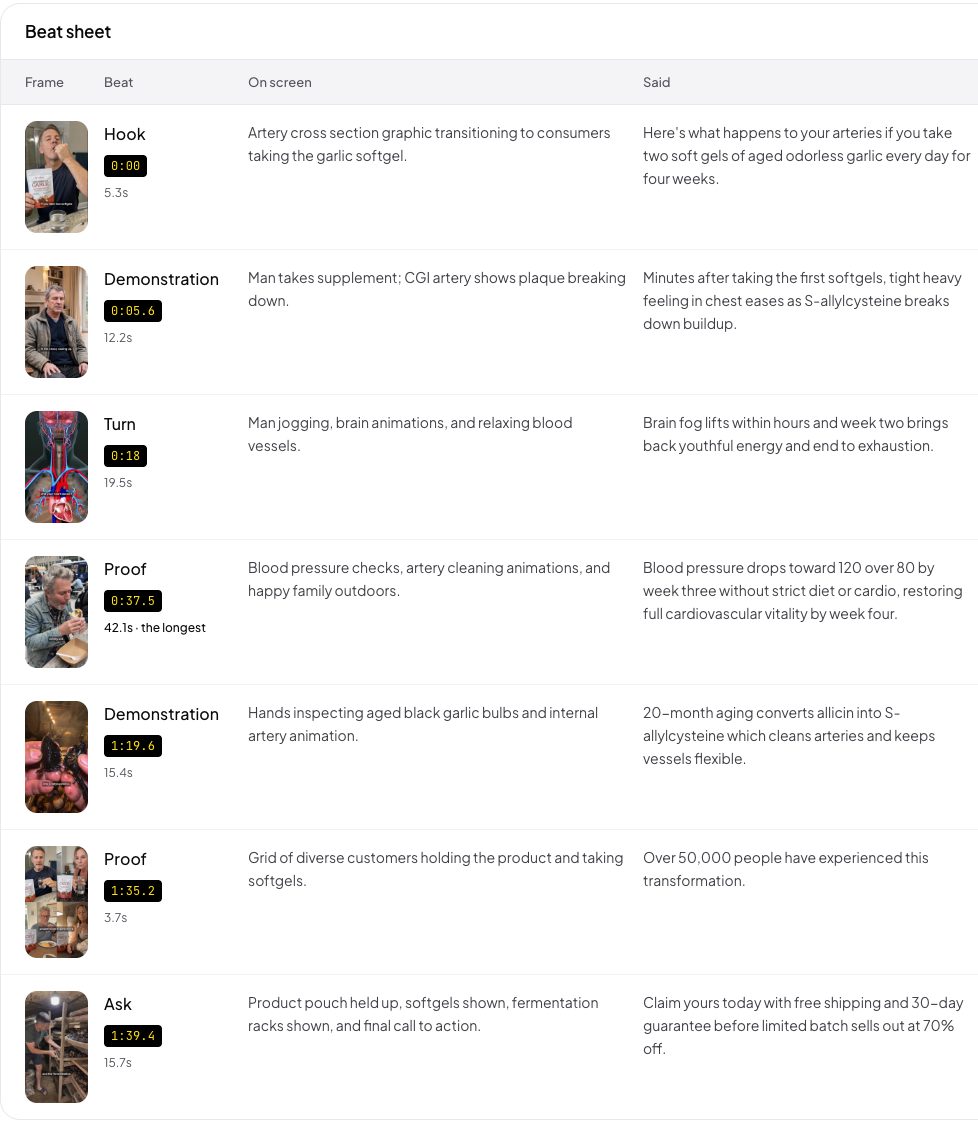
Paste each ad link into Playhead. The answer names the hook, every beat with its start and length, every claim at the second it is legible, and the second the product first appears.
What the checks tell you
Three signals, and each one comes from a public field.
- An ad that runs for 30 days or more
- It pays
- A product created in the last 30 days, high in best-selling
- It scales
- compare_at_price above price
- A shown discount
- The same creative in 5 or more ads
- A winner being tested
The checks tell you which product and which ad. They do not tell you why the ad works. That answer is inside the video: what the first 3 seconds show, when the price appears, how long the proof runs, whether it works with the sound off. Paste up to 10 of the store's ads into one Playhead set, and the same fields come back for each one, so what the long-running ads share is visible row by row.
Keep what you find
A free account keeps every teardown, so the next question costs less.
The verdict
A competing Shopify store is mostly an open book: 2 URLs give its best sellers and its newest products, 1 JSON per product gives prices and launch dates, and the Meta Ad Library gives every ad for up to 1 year. Revenue and traffic are the 2 things no public page holds, so treat any figure for them as a guess. The step people skip is the ad itself. Once the checks have named the ad that runs longest, paste it into Playhead and read what it does second by second, which is the part a store never publishes and every copy of its product needs.
Common questions
How can I see the best-selling products of a Shopify store?
Add ?sort_by=best-selling to the store's /collections/all page. Shopify sorts a collection by 8 options, and best-selling is one of them, so the first products on that page are the ones that sell best in the store's own count. The page gives a rank, not a number of sales.
Can I see the sales or revenue of a Shopify store?
No public page shows a Shopify store's revenue or its number of orders. A figure for either is an estimate made outside the store. The best-selling sort and the start dates of its ads are the two public signals that come closest.
Is there a free Shopify store spy extension?
An extension is not needed for the 7 checks on this page. The theme is in the page source, the best sellers and new products are one URL each, the product data is in /products/<handle>.js, and every ad is in the Meta Ad Library.
How do I find out when a Shopify product was launched?
Open /products/<handle>.js on the store and read created_at and published_at. Both are part of the public product JSON that Shopify documents in its Ajax API reference.
How do I see the ads a Shopify store stopped running?
Set the country filter in the Meta Ad Library to an EU country. Meta keeps an ad that reached the EU for 1 year after its last impression, so an ad the store stopped last month is still there, with its reach.